Using the Gizmo to Transpose

MusicWheels™ can be used to help you change the key of a song quickly and easily.
Transposition is a really useful skill to have because it means that you do not always have to play songs in their original keys.

For example, if you are accompanying a singer who finds that the melody of a song is too low or too high
you can change the key to suit the range of the singer’s voice.

You may also want to change the key of a song to make it more suitable to play on your instrument. For example, some keys that are easy to play on a guitar might be more difficult on a keyboard, and vice-versa.

Transposing Scales

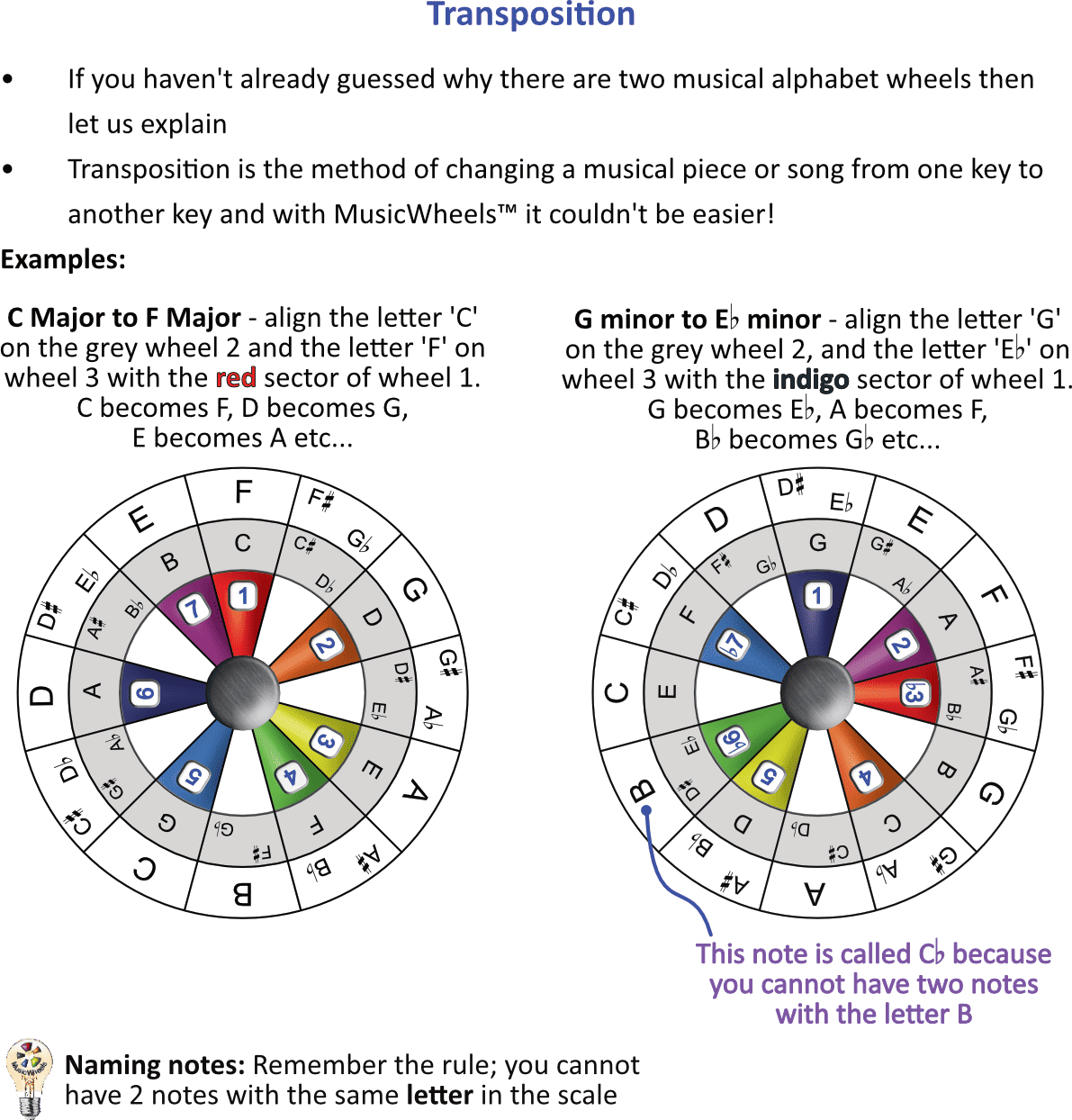
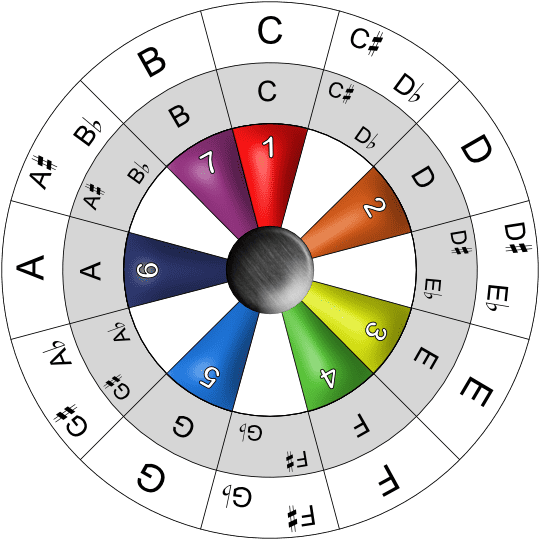
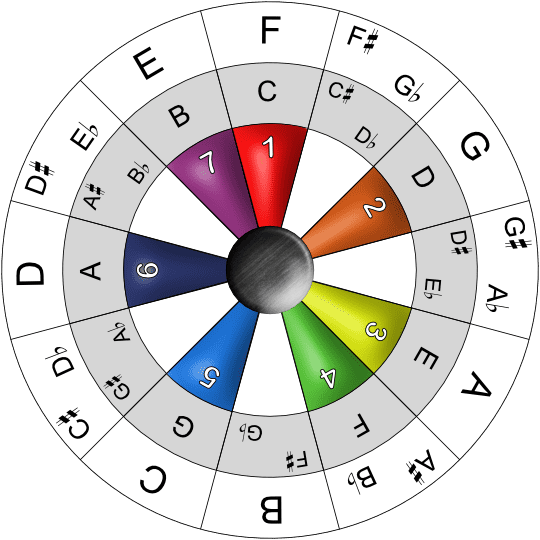
In the examples below we are using the inner ‘grey’ note wheel to show the original scale key and the outer ‘white’ note wheel to show the target scale key that we want to transpose to.

It doesn’t matter which note wheel you use for the original key, just use whichever one suits you best.

Gizmo Transposition

Transposing Chord Progressions

The exact same process can be used to transpose chord progressions.

Let’s use C Major as an example. 

Gizmo C Major Relative


We know that the basic triad chords of the C Major scale are:

Keynote (1) = C Major

2 = D minor

3 = E minor

4 = F Major

5 = G Major

6 = A minor

7 = B diminished

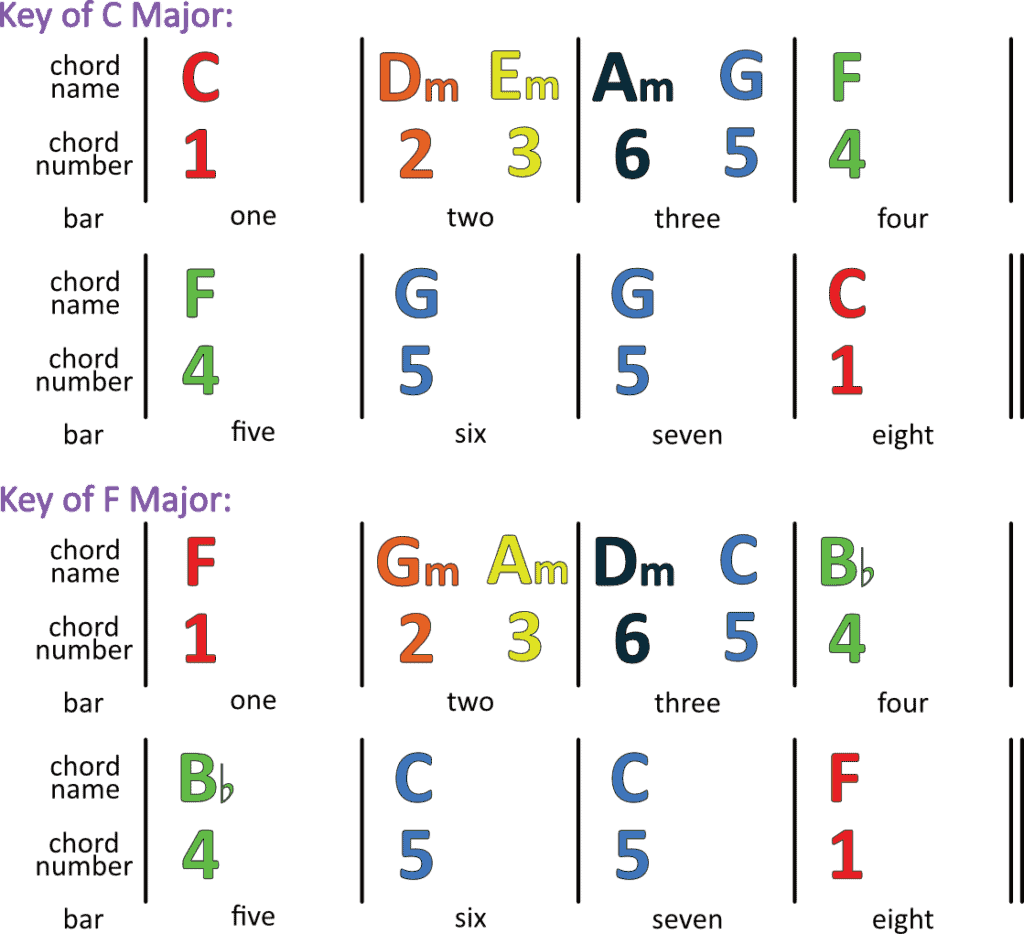
Let’s use an example chord progression in C Major and transpose it to the Key of F Major.

We’re using the inner (grey) note wheel as our original key of C Major:

Gizmo C Maj Progression To F Major Progression 1a
C Maj Progression To F Major Progression 1 1024x934

You can use MusicWheels™ to transpose any scale or chord progression in seconds.

MUSICWHEELS
Privacy Overview

This website uses cookies so that we can provide you with the best user experience possible. Cookie information is stored in your browser and performs functions such as recognising you when you return to our website and helping our team to understand which sections of the website you find most interesting and useful.